r/windowsinsiders • u/CyberdyneSystemsTT • 21h ago
Discussion Current Future Platforms Builds Enable The New Native NVMe Driver By Default
The feature is not restricted to Server it seems.
Hope they don’t kill it off in 27H2.
r/windowsinsiders • u/Froggypwns • 4d ago
Release date: 20 November 2026
Other disk-encryption solutions might require drivers to be integrated into WinRE to access the main OS. Windows uses two existing mechanisms for traditional Windows feature updates to integrate drivers into WinRE. The installation looks for INFs from these locations:
setupconfig.ini).%windir%\System32\update\run\<GUID>\reflectdrivers.r/windowsinsiders • u/Froggypwns • 4d ago
Release date: 20 November 2026
This update includes a small set of general improvements and fixes that improve the overall experience for Insiders running this build on their PCs.
r/windowsinsiders • u/CyberdyneSystemsTT • 21h ago
The feature is not restricted to Server it seems.
Hope they don’t kill it off in 27H2.
r/windowsinsiders • u/CyberdyneSystemsTT • 1d ago
As a consumer, this is the most exciting news about Windows 11 in years.
The OS is finally getting a big visual change…
According to Tom Warren Win11 Pro has a new default wallpaper which they have been using and showing off in several of their events now.
Insiders should in theory get them first… but when?
r/windowsinsiders • u/DXGL1 • 4d ago
r/windowsinsiders • u/Froggypwns • 4d ago
Release date: 20 November 2026
r/windowsinsiders • u/Froggypwns • 4d ago
Release date: 20 November 2026
r/windowsinsiders • u/Froggypwns • 4d ago
Release date: 20 November 2026
This update includes a small set of general improvements and fixes that improve the overall experience for Insiders running this build on their PCs.
r/windowsinsiders • u/Pesanur • 4d ago
I'm was that disappointed with the new photos app, in the WIndows Insider Beta, that I'm ended uninstalling it, but now that I tried to install it again to give to it a second try, I cannot find any way to reinstall it, and the previous photos app now only launch as a photoviewer from the explorer.
The current build is 26320.10022
r/windowsinsiders • u/Froggypwns • 8d ago
Release date: 16 November 2026
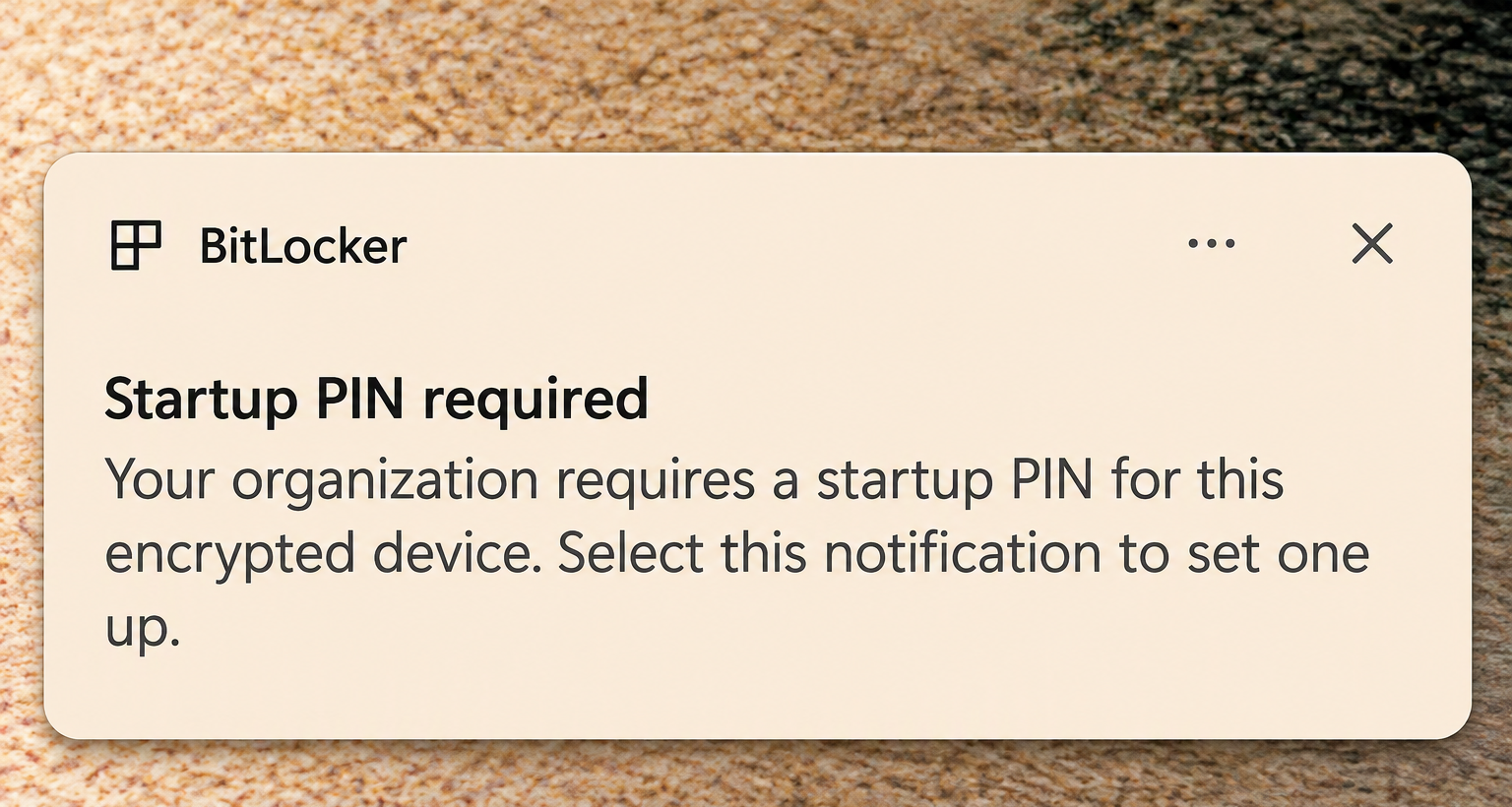
Set it up
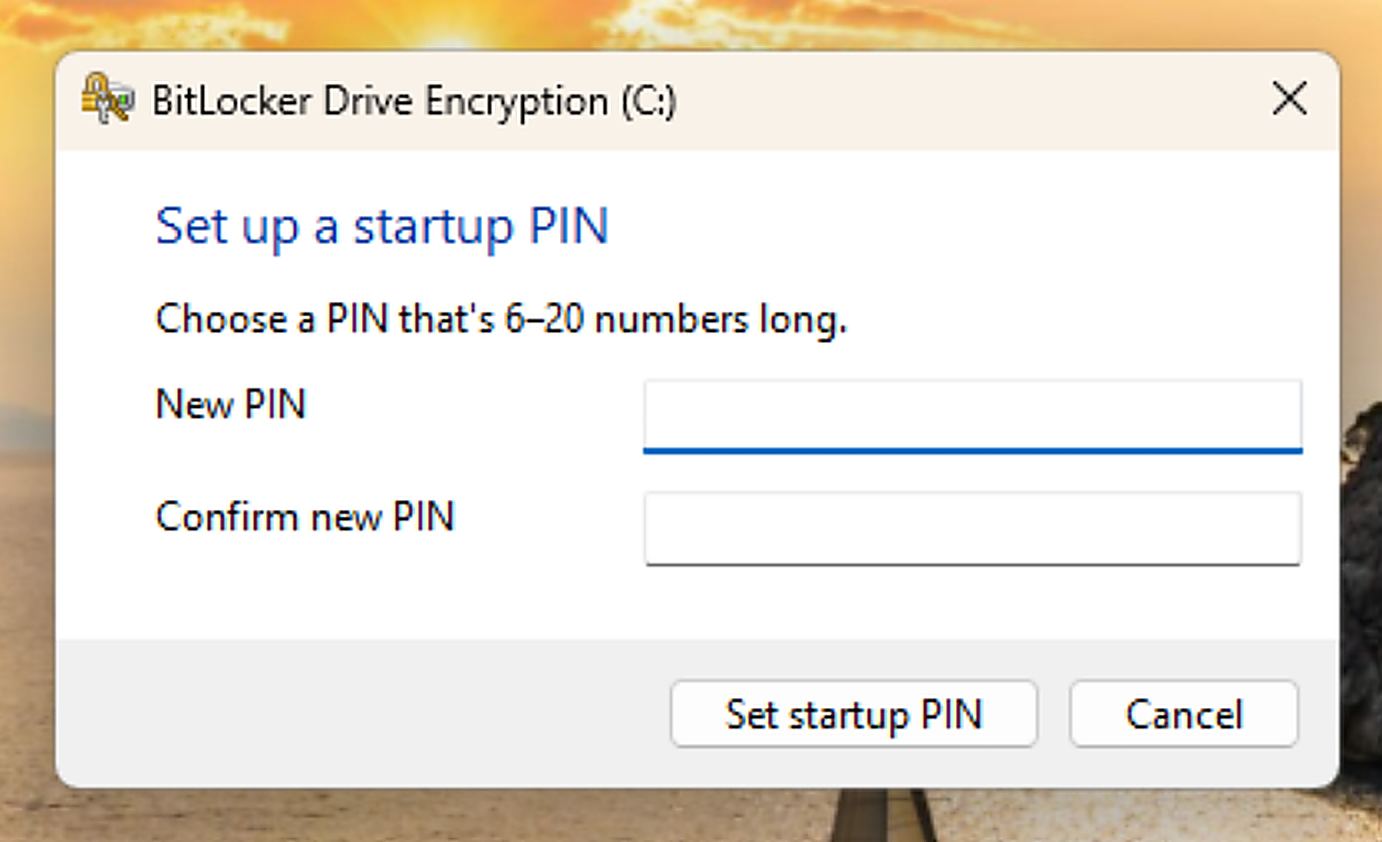
In Microsoft Intune or another device management solution, configure these existing BitLocker policies to require TPM+PIN for non-administrators:
| Policy | Value |
|---|---|
AllowStandardUserEncryption | ON |
AllowWarningForOtherDiskEncryption | OFF |
RequireDeviceEncryption | ON |
SystemDrivesRequireStartupAuthentication | ON |
Important
Target policy that requires startup authentication and device encryption only to your standard user test group that has this feature enabled in the Windows Insider Program.
Standard users without this feature can't add the required TPM+PIN protector, and device encryption subsequently fails with this configuration. Standard users without this feature who are already encrypted with TPM only report as non-compliant with policy.
Following the April 2025 announcement of the upcoming deprecation of the Windows UWP Map control and Windows Maps platform APIs, we are removing the Offline Maps feature and related UX from Windows Settings. With the upcoming removal of the Maps control and APIs, the offline maps feature will no longer be functional. The removal includes these features in Windows Settings:
r/windowsinsiders • u/Froggypwns • 8d ago
Release date: 16 November 2026
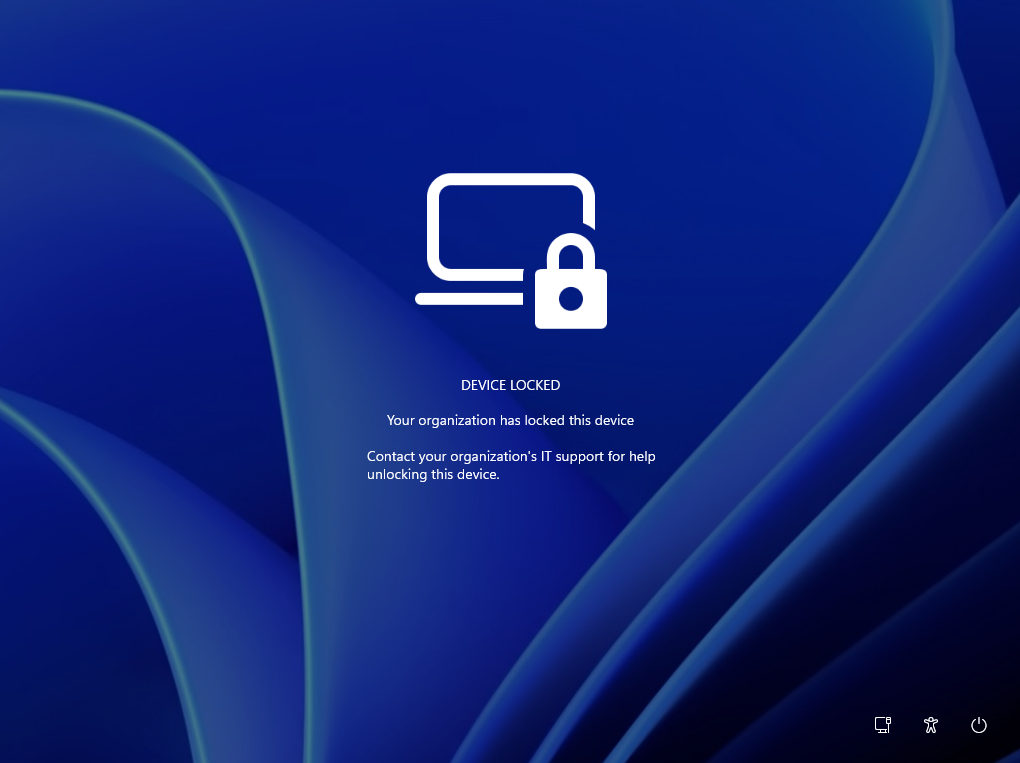
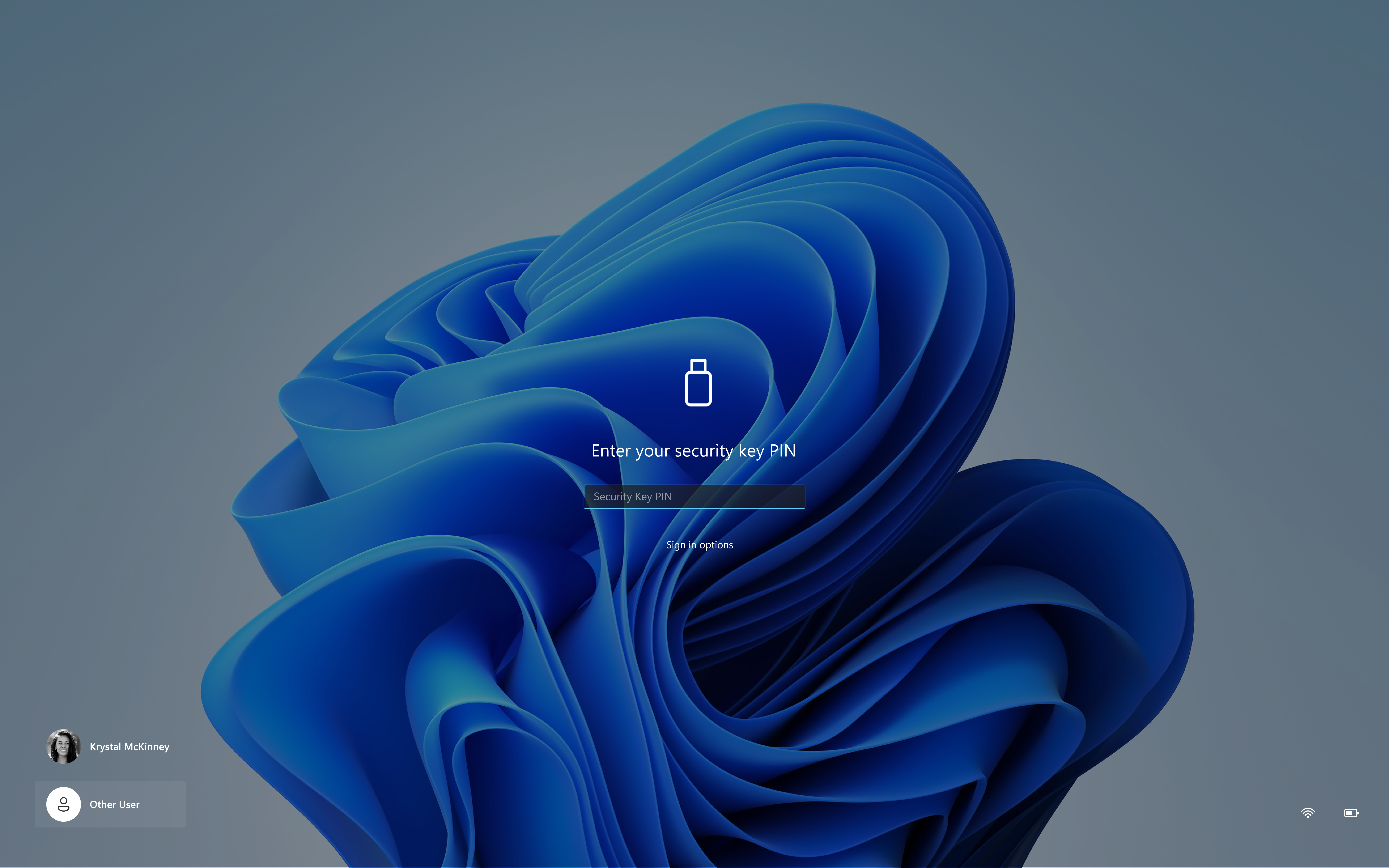
What the user sees on a locked device:
The default lock screen. LockReason and RecoveryHint add your own reason and help desk contact.
Set it up
In Microsoft Intune or another device management solution, configure these existing BitLocker policies to require TPM+PIN for non-administrators:
| Policy | Value |
|---|---|
AllowStandardUserEncryption | ON |
AllowWarningForOtherDiskEncryption | OFF |
RequireDeviceEncryption | ON |
SystemDrivesRequireStartupAuthentication | ON |
Important
Target policy that requires startup authentication and device encryption only to your standard user test group that has this feature enabled in the Windows Insider Program.
Standard users without this feature can't add the required TPM+PIN protector, and device encryption subsequently fails with this configuration. Standard users without this feature who are already encrypted with TPM only report as non-compliant with policy.
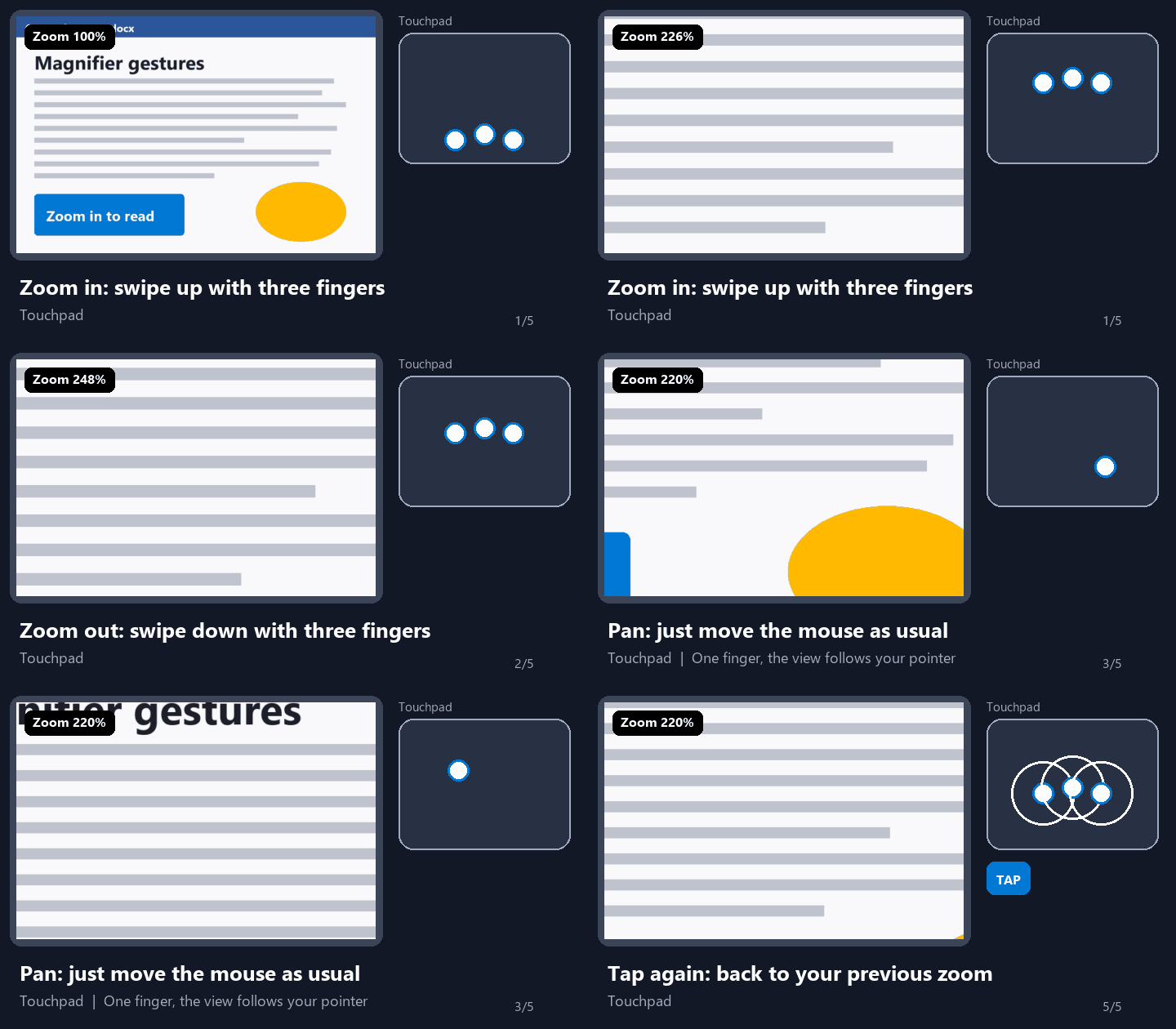
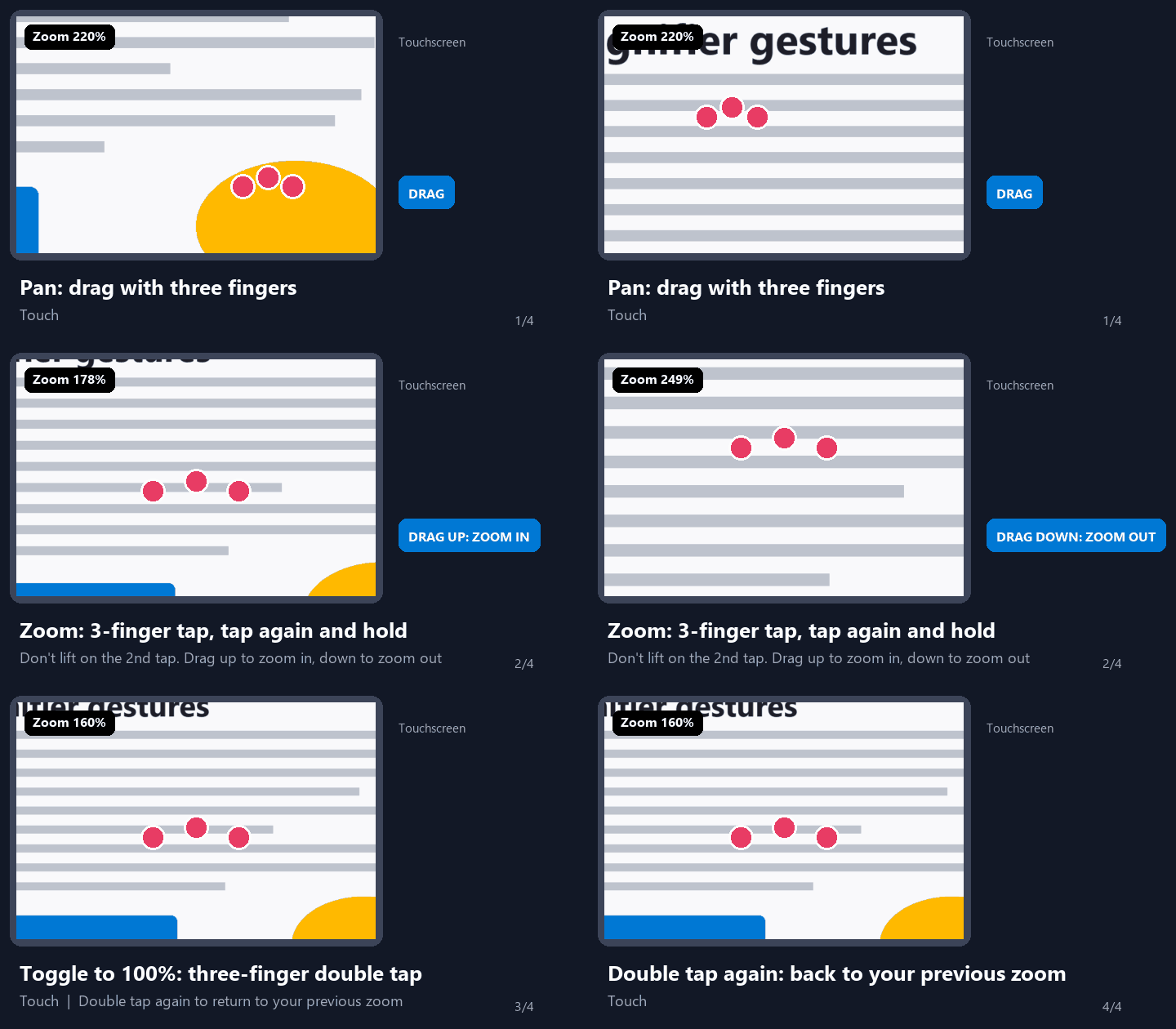
Magnifier, the way you work: now with touch and touchpad
On a touchpad
On a touchscreen
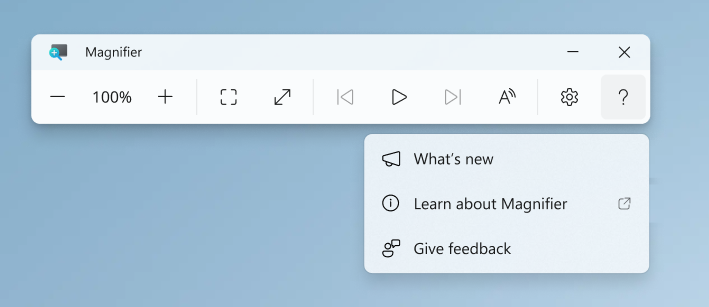
Help, what's new, and feedback, right from the toolbar
Magnifier now has a help (?) button on its toolbar. Select it to:
Whether you're trying Magnifier for the first time or use it every day, share your feedback to help improve the experience.
Following the April 2025 announcement of the upcoming deprecation of the Windows UWP Map control and Windows Maps platform APIs, we are removing the Offline Maps feature and related UX from Windows Settings. With the upcoming removal of the Maps control and APIs, the offline maps feature will no longer be functional. The removal includes these features in Windows Settings:
r/windowsinsiders • u/Froggypwns • 11d ago
Release date: 13 November 2026
What the user sees on a locked device:
The default lock screen. LockReason and RecoveryHint add your own reason and help desk contact.
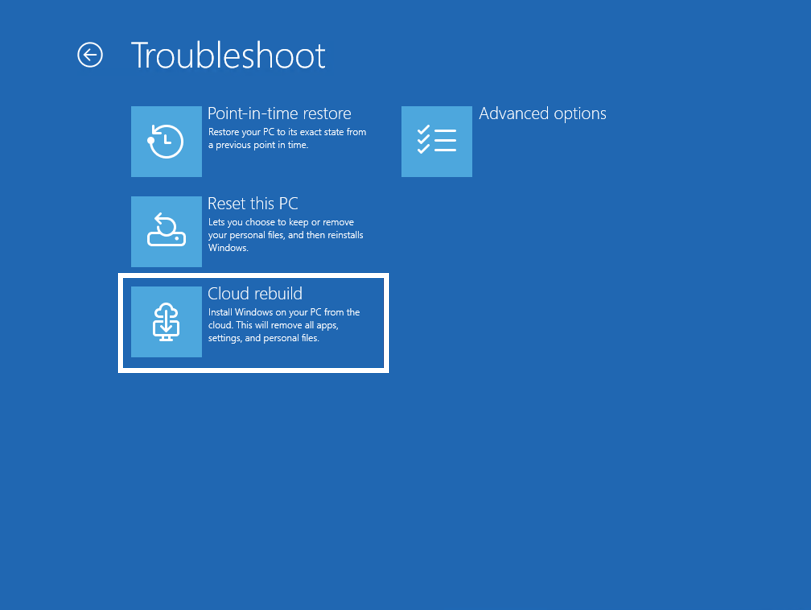
In this preview, you can try Cloud rebuild today: The new Cloud rebuild option in Windows Recovery Environment (WinRE), which enables a full Windows reinstall using files downloaded from Windows Update.
Feedback: Share your thoughts in Feedback Hub (WIN + F) under Recovery > Cloud rebuild.
To learn more, see Cloud rebuild.
r/windowsinsiders • u/Froggypwns • 11d ago
Release date: 13 November 2026
Set it up
In Microsoft Intune or another device management solution, configure these existing BitLocker policies to require TPM+PIN for non-administrators:
| Policy | Value |
|---|---|
AllowStandardUserEncryption | ON |
AllowWarningForOtherDiskEncryption | OFF |
RequireDeviceEncryption | ON |
SystemDrivesRequireStartupAuthentication | ON |
Important
Target policy that requires startup authentication and device encryption only to your standard user test group that has this feature enabled in the Windows Insider Program.
Standard users without this feature can't add the required TPM+PIN protector, and device encryption subsequently fails with this configuration. Standard users without this feature who are already encrypted with TPM only report as non-compliant with policy.
r/windowsinsiders • u/Froggypwns • 11d ago
Release date: 13 November 2026
These release notes are for Windows 11 Builds 26200.10066 and 26300.10066 (KB5132057) in the Release Preview channel on Windows 11, versions 25H2 (Build 26200) and 26H2 (Build 26300), all editions.
This update is available through two release phases: gradual rollout and normal rollout. A gradual rollout delivers an update in phases, so features reach devices over time instead of all at once, meaning availability varies by device. A normal rollout is the broad release to all eligible devices at the same time, usually when it reaches general availability (GA).
This section highlights some new features and enhancements for Windows 11 PCs, including AI-powered capabilities, continuous innovation, and performance improvements.
[Windows Search]
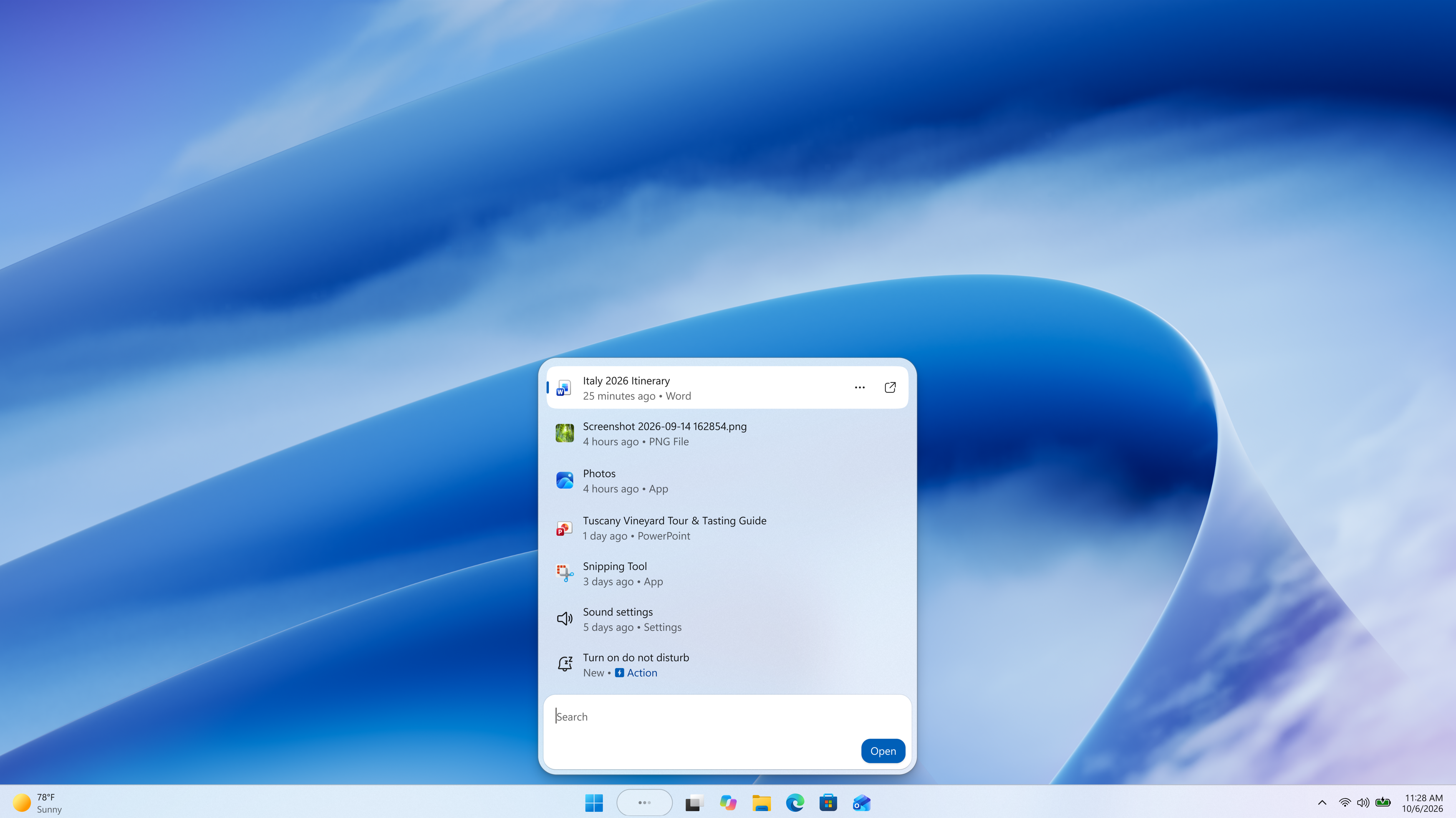
New! This update introduces a new Windows Search experience with a streamlined design, improved performance, and new ways to complete tasks directly from search.
[Windows Hello]
[Run dialog]
[XBOX mode]
[Widgets]
[File Explorer]
[Settings]
[Screen capture]
[Mouse cursor]
[Magnifier]
[Narrator]
[Keyboard shortcuts]
[Voice typing]
[Web sign-in]
[RemoteApp]
[TPM]
This section includes improvements and fixes available through normal rollout.
[Display]
[Settings]
[Restart and shutdown]
[Applications]
[Passkeys]
r/windowsinsiders • u/Froggypwns • 11d ago
Release date: 13 November 2026
Set it up
In Microsoft Intune or another device management solution, configure these existing BitLocker policies to require TPM+PIN for non-administrators:
| Policy | Value |
|---|---|
AllowStandardUserEncryption | ON |
AllowWarningForOtherDiskEncryption | OFF |
RequireDeviceEncryption | ON |
SystemDrivesRequireStartupAuthentication | ON |
Important
Target policy that requires startup authentication and device encryption only to your standard user test group that has this feature enabled in the Windows Insider Program.
Standard users without this feature can't add the required TPM+PIN protector, and device encryption subsequently fails with this configuration. Standard users without this feature who are already encrypted with TPM only report as non-compliant with policy.
r/windowsinsiders • u/Froggypwns • 11d ago
Release date: 13 November 2026
These release notes are for Windows 11 Build 28000.3612 (KB5132265) in the Release Preview channel on Windows 11, version 26H1, all editions.
This update is available through two release phases: gradual rollout and normal rollout. A gradual rollout delivers an update in phases, so features reach devices over time instead of all at once, meaning availability varies by device. A normal rollout is the broad release to all eligible devices at the same time, usually when it reaches general availability (GA).
This section highlights some new features and enhancements for Windows 11 PCs, including AI-powered capabilities, continuous innovation, and performance improvements.
[Context menu in File Explorer]
You can now customize the context menu to better fit how you use Windows. Select Customize menu at the bottom of the context menu to open its Settings page:
[File Explorer]
~, making it quicker to navigate directly to your user profile folder and subfolders, for example, ~\AppData.[Settings]
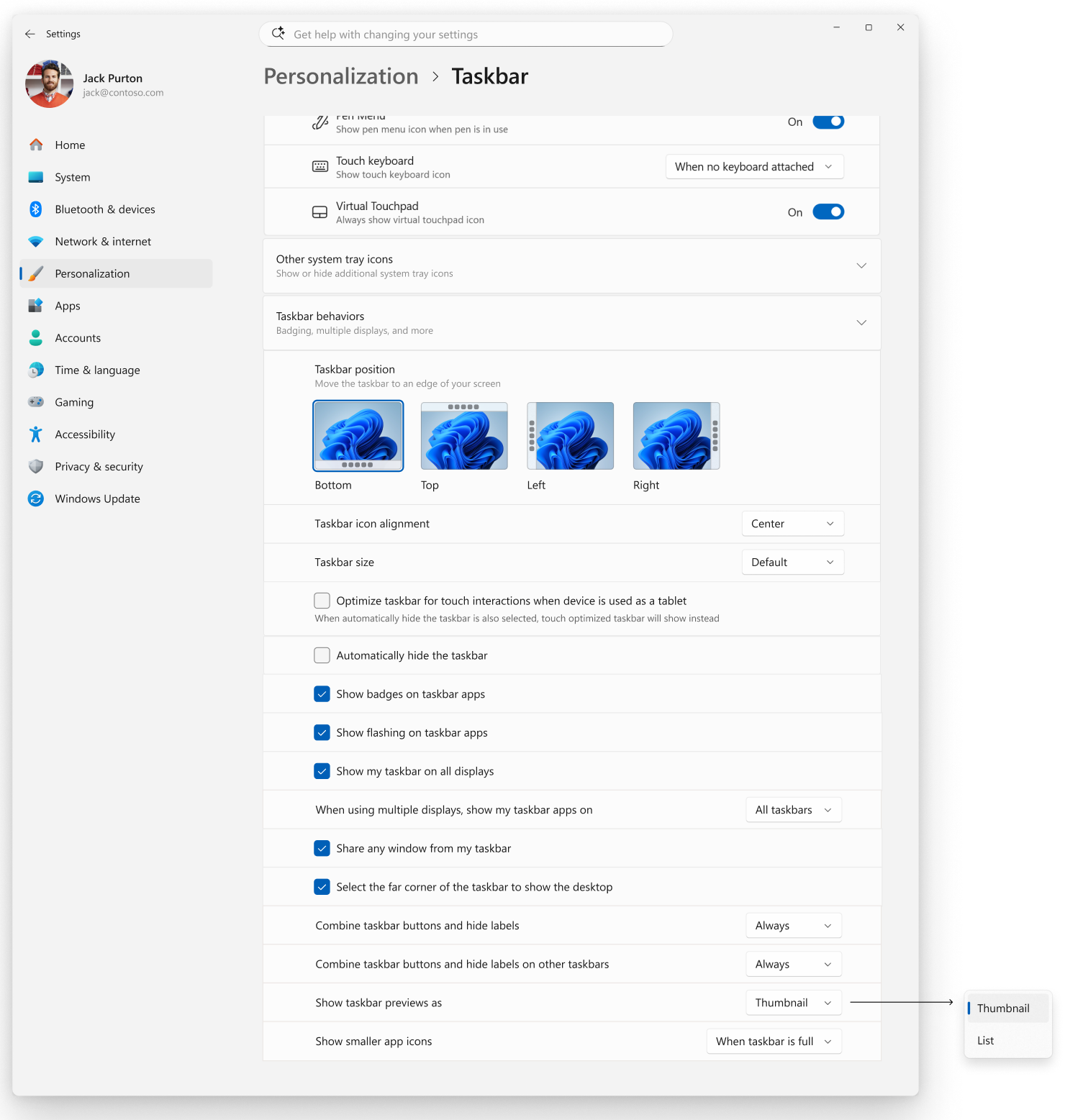
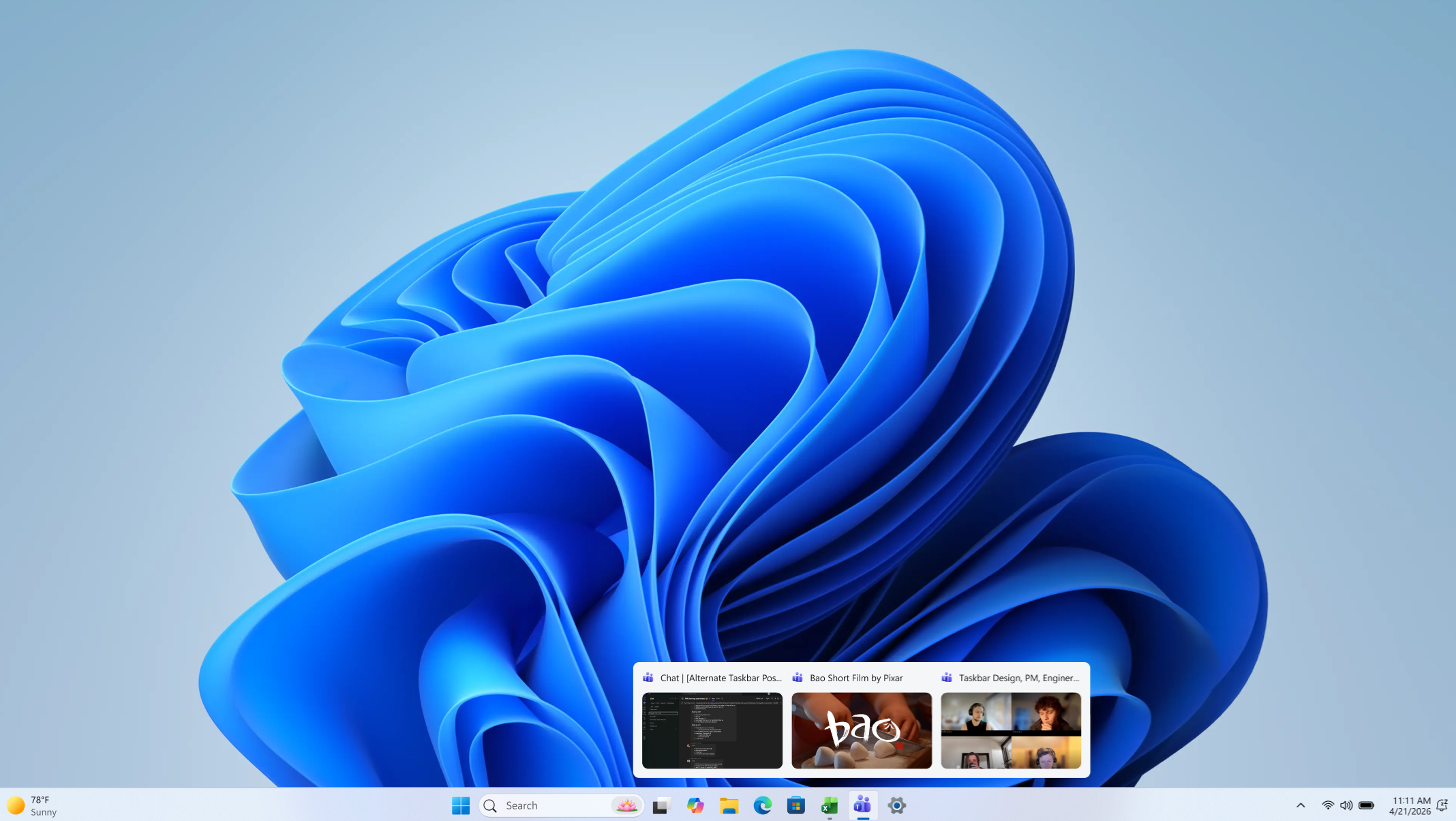
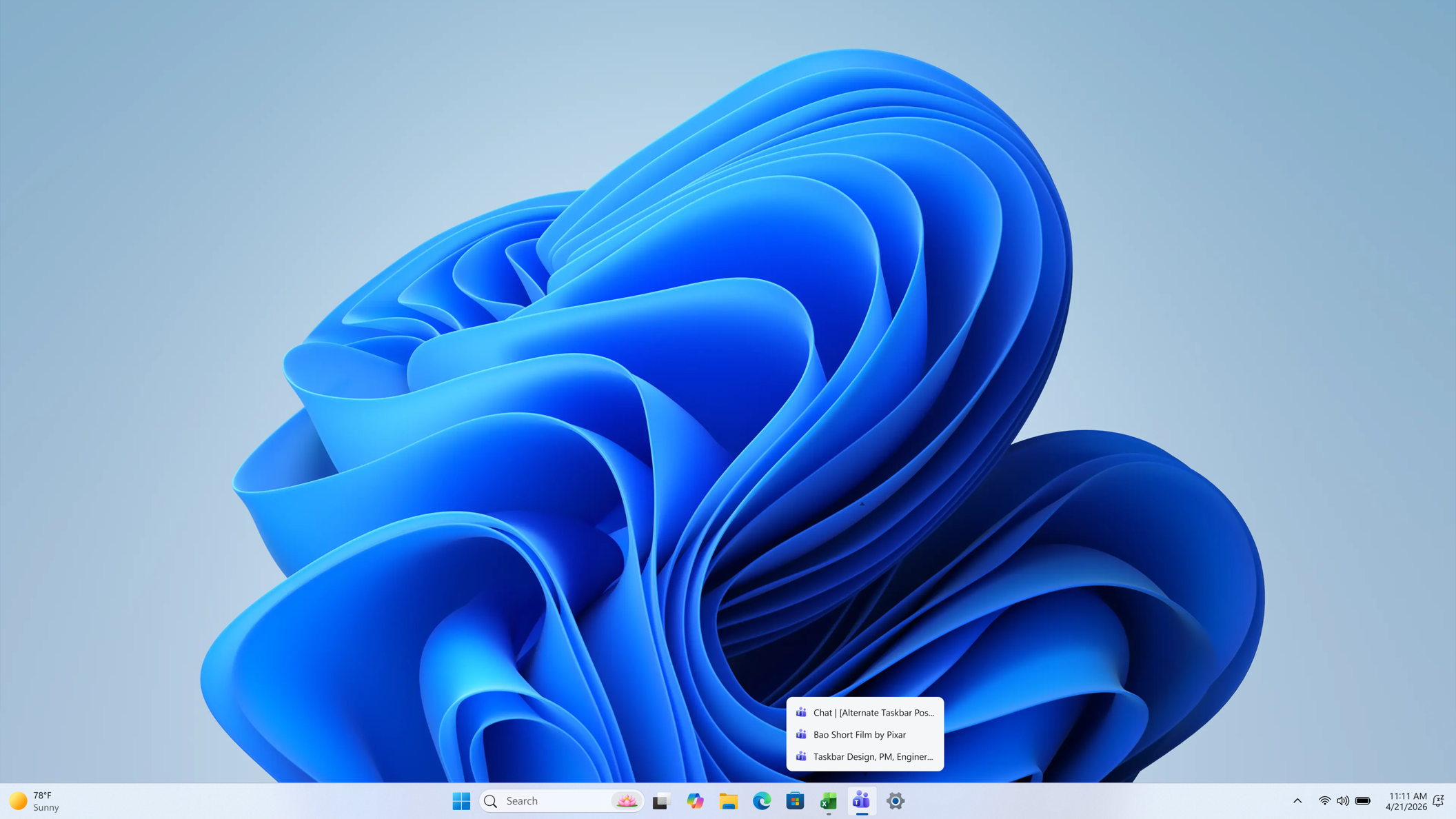
[Taskbar]
[Magnifier]
New! Magnifier now supports per-monitor zoom, allowing each display to use its own zoom level while keeping the magnified view within that display. To use per-monitor zoom, set your displays to Extend under Settings > System > Display.
New! Magnifier now supports viewport locking for multi-monitor setups with per-monitor zoom turned on. It keeps the magnified view on a display in place while you move the pointer to another display. The locked display remains interactive. Point to a display and press Ctrl + Windows key + K to lock or unlock its view.
[Narrator] New! Narrator now supports reading and navigating math equations in supported Microsoft 365 apps, including Word and PowerPoint, and supported web content in Microsoft Edge (version 153.0.4234.32 and later) and Google Chrome (version 153.0.8010.18 and later). This makes it easier for users who are blind or have low vision to understand and explore equations, formulas, and scientific notation.
[Cloud rebuild] New! This update introduces Cloud rebuild, a new recovery option that reinstalls Windows 11 using a Windows image and device drivers downloaded from Windows Update, including when Windows is unable to start. No USB media or custom image is required. Cloud rebuild includes: To start Cloud rebuild: For more information, see Cloud rebuild.
[Windows IPv6 networking support] New! Windows now supports IPv6 CLAT for Wi-Fi and Ethernet network interfaces, adding client-side 464XLAT translation so IPv4-only applications can continue reaching IPv4 services from IPv6-only networks. This helps organizations advance IPv6-only deployments while preserving compatibility for legacy IPv4 application scenarios.
ipv4only.arpa available as a fallback.1 Availability might vary by market.
This section includes improvements and fixes available through normal rollout.
r/windowsinsiders • u/20260819 • 14d ago
currently on 29639.1000 and i know there's a newer build for experimental channel but i can't get it via windows update. did i miss something?
r/windowsinsiders • u/NefariousnessOne2728 • 17d ago
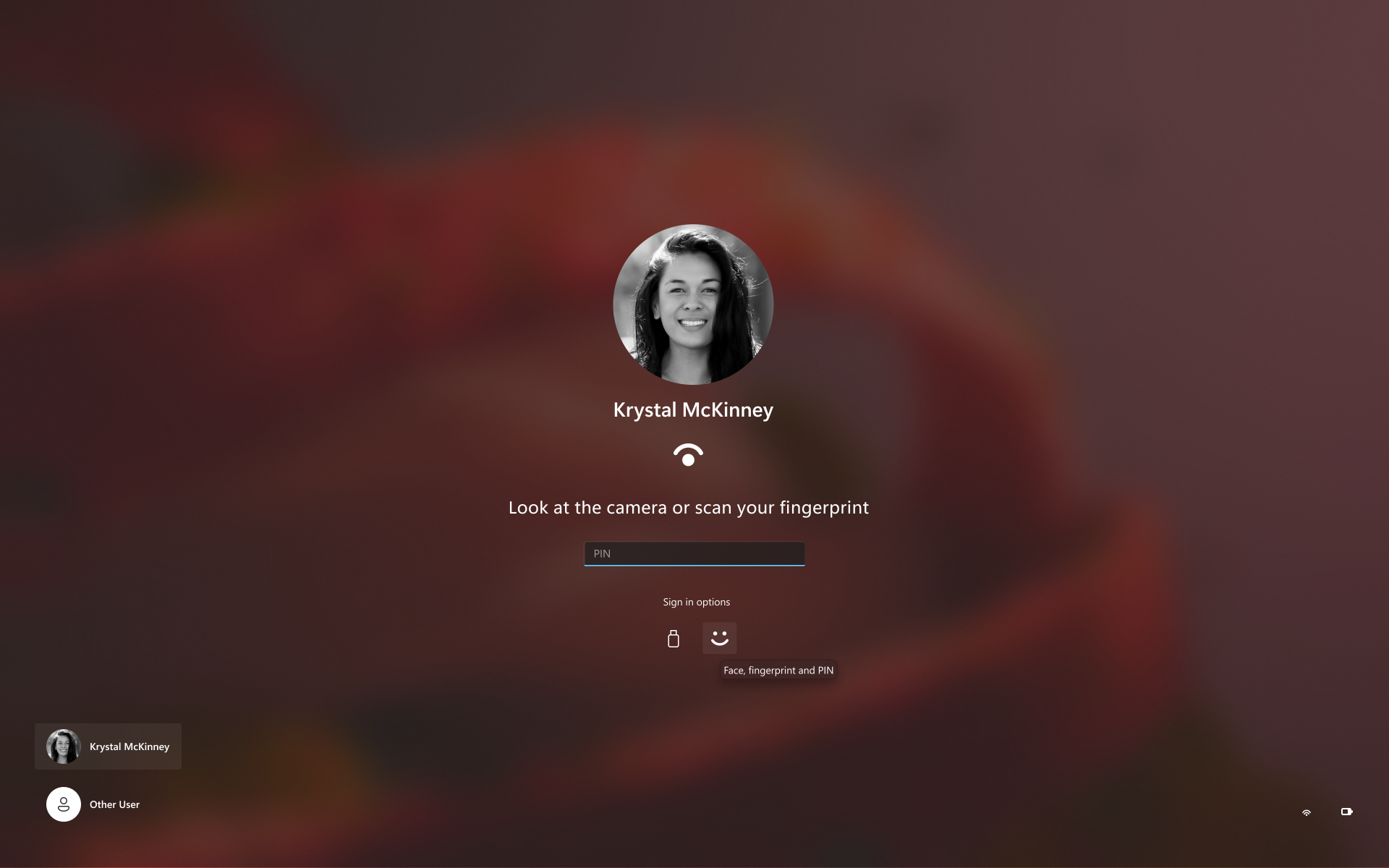
I received the new Dev. Build (26340.9882), and started using the new requirement to use my PIN when I restart my machine. I'm not sure exactly what the reasoning behind the new requirement is. Even when after I come in, in the morning, after it has been off all night I still have to use my PIN. My fingerprint reader seems to not be working very well. When I was setting my fingerprint reader to my finger, I noticed it wasn't reading my finger as smoothly as usual. It finally did finish. Now I seem to have to always use my PIN. This just started when I installed the latest Dev. Build.
r/windowsinsiders • u/Ok_Hour_3193 • 18d ago
Hey folk,
Recently, Windows 11 build 29704 has made it to the Experimental channel under future platforms. Last build, (29698), they ported the new WinUI 3 search flyout to the 29xxx range. It could be enabled using ViVeTool and using Velocity IDs 57739723, 58381341, 59210767, and 59210771
I was upgrading to this build from 29680; I couldn't upgrade for a while as I had my TPM disabled in the BIOS and didn't realize until yesterday. After upgrading to 29704, I used those Velocity IDs to enable the new search. After the reboot, I simply had a black screen and had to use Task Manager to launch CMD, disable those velocity IDs, and restart.
I then tried out 29698 in a VM, thinking it might be a bug on my end. The search flyout did work after enabling those IDs, but after upgrading the VM to 29704, I was met with the same black (or well, grey?) screen, and it didn't fix until I disabled those velocity IDs.
I did try a few things like restarting explorer but they didn't work and I could never get past the screen. Settings didn't start either when starting it using ms-settings: in the run dialog.
Did anyone on this build have the same issue? If so, was it fixable? I couldn't find much info about it online. I should also add that I got the information about both of these builds from BetaWiki.
-Faylie
r/windowsinsiders • u/Froggypwns • 18d ago
Release date: 6 November 2026
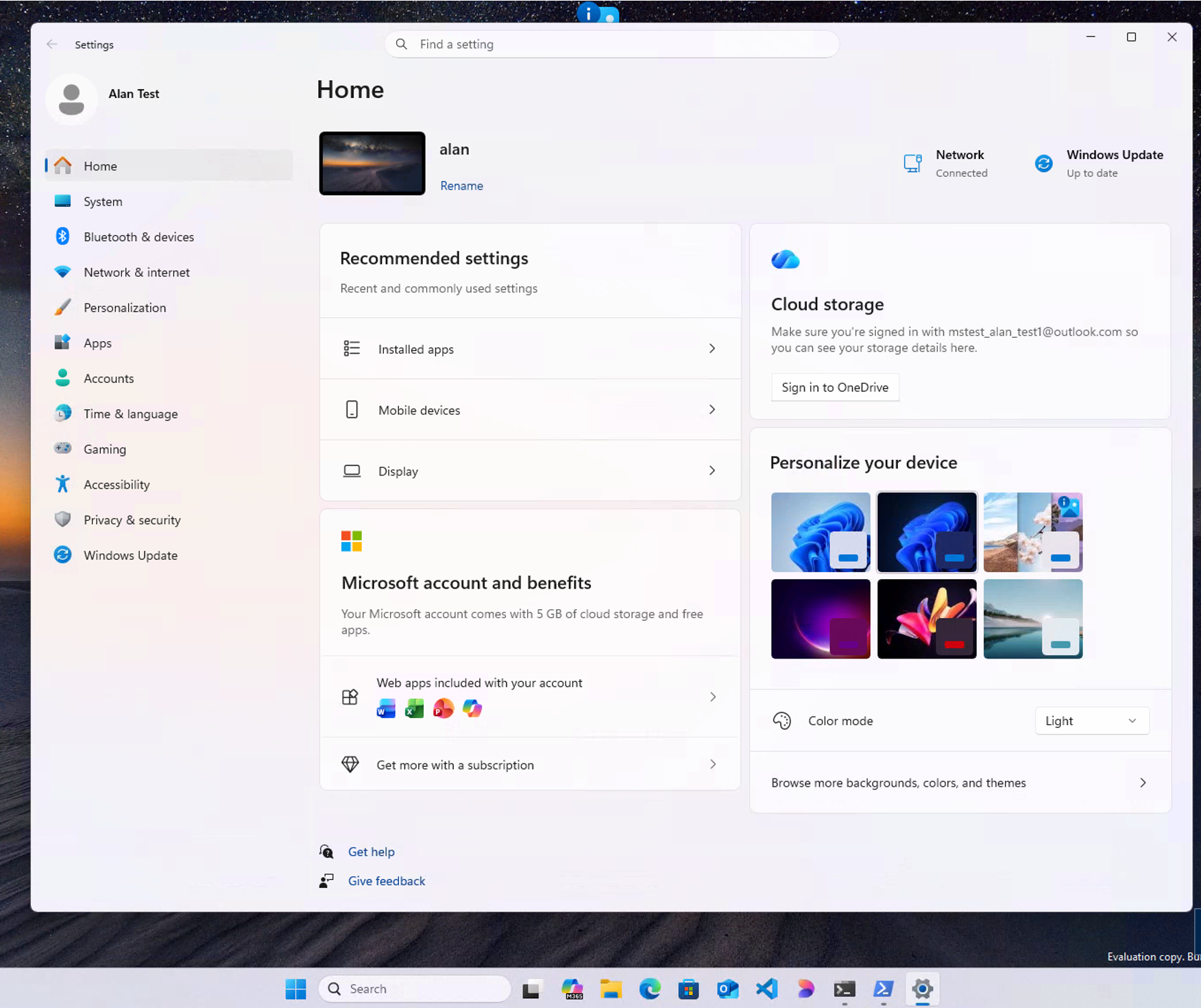
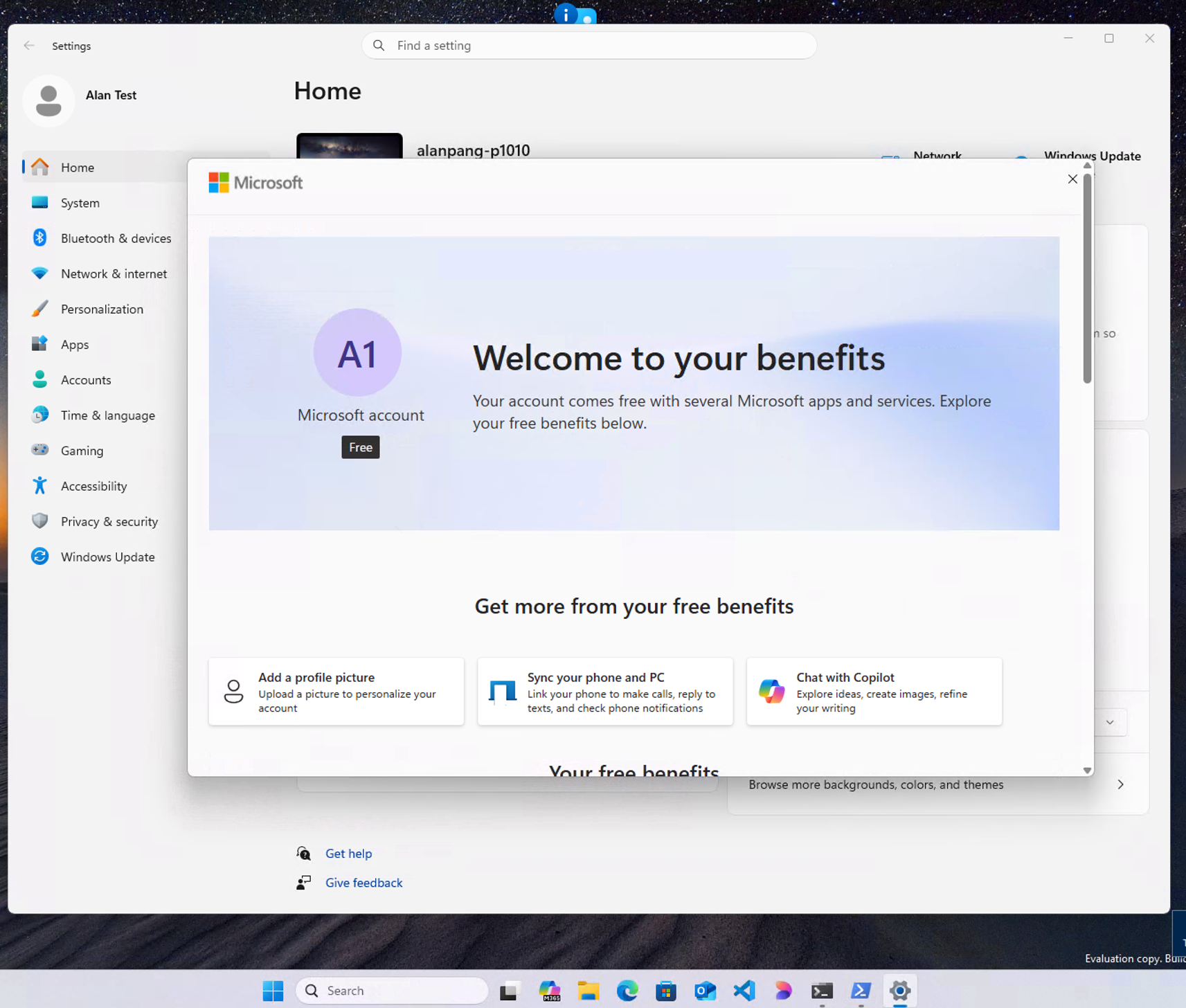
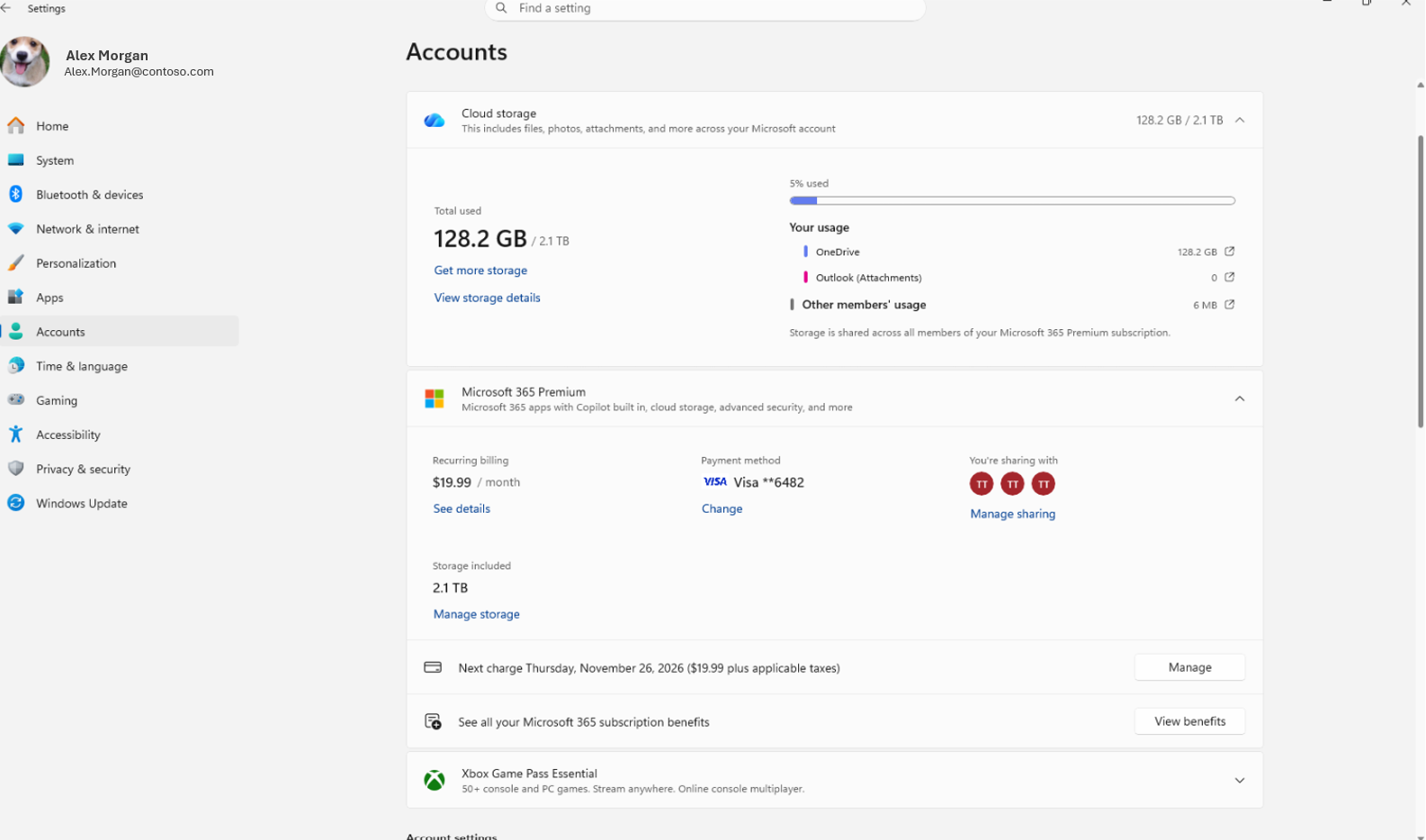
See your family's shared Microsoft 365 cloud storage in Windows Settings
~, making it quicker to navigate directly to your user profile folder and subfolders, for example, ~\AppData.r/windowsinsiders • u/Froggypwns • 18d ago
Release date: 6 November 2026
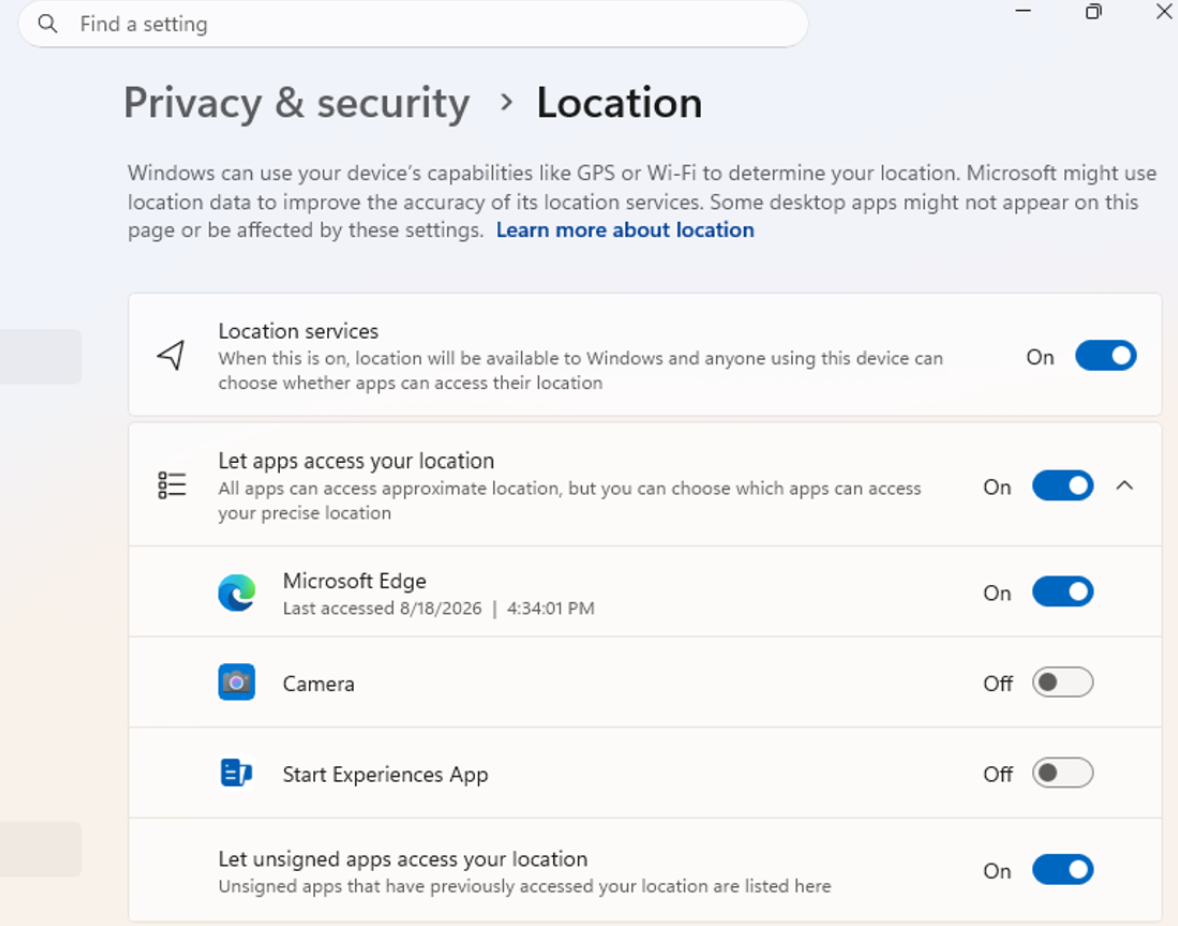
What's changing
What stays the same
Notes
Feedback: Share your thoughts in Feedback Hub (WIN + F) under Settings > Privacy Settings.
0x80070057 - 0x20003, "The installation failed in the SAFE_OS phase with an error during INSTALL_UPDATES operation", when attempting to upgrade to the latest builds.r/windowsinsiders • u/Froggypwns • 18d ago
Release date: 6 November 2026
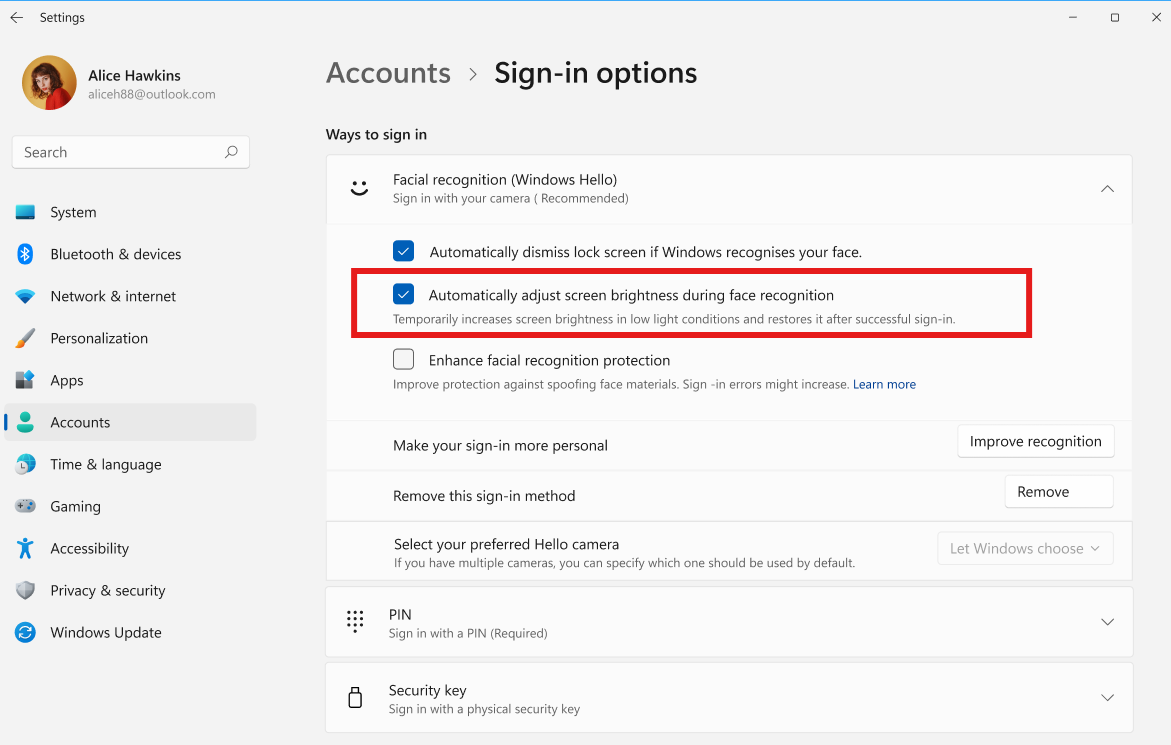
Windows Hello sign-in improvement
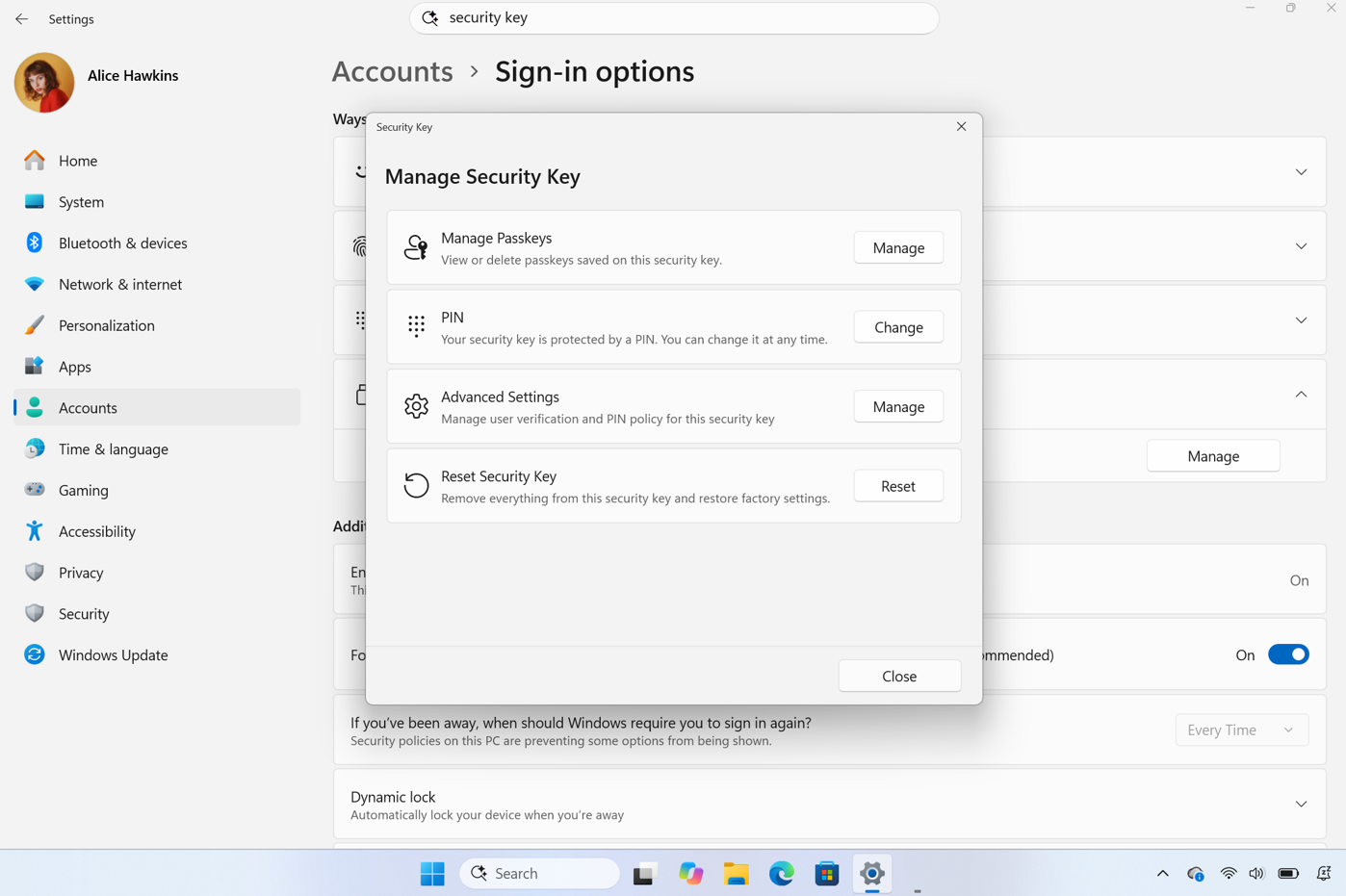
Windows Hello logging for IT admins
r/windowsinsiders • u/Froggypwns • 18d ago
Release date: 6 November 2026
Magnifier now understands each of your displays
Setting the zoom on each screen is easy. Choose whichever method feels natural:
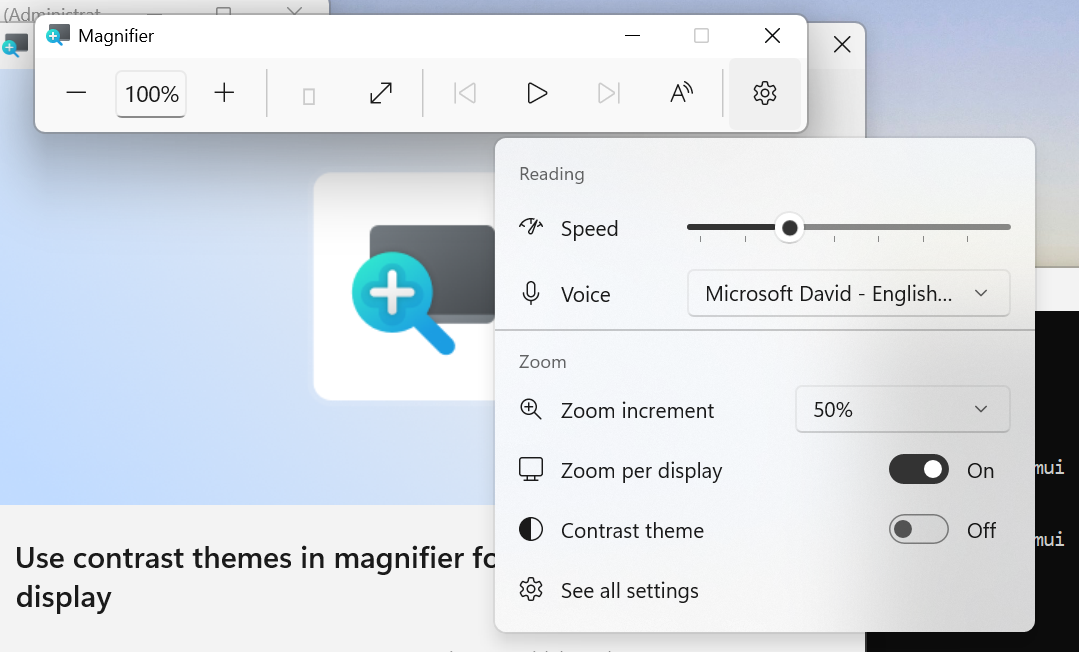
Magnifier with Zoom per display enabled, allowing each monitor to maintain its own zoom level.
Keep the view that matters, right where you need it
Magnifier's multiple display controls include independent zoom and view locking options.
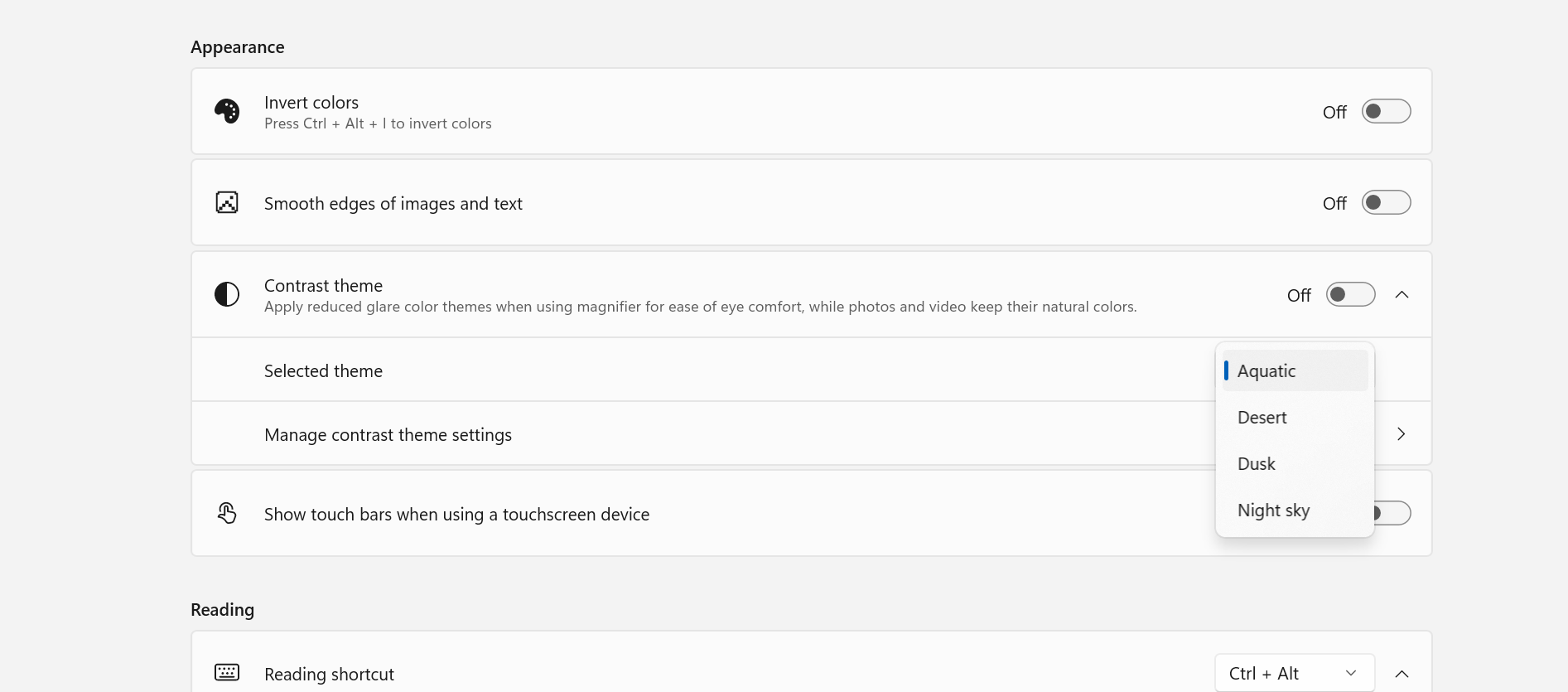
Magnifier new contrast theme
r/windowsinsiders • u/Froggypwns • 18d ago
Release date: 6 November 2026